

Use 21st in your agent
Search 12,000+ components, install them, generate UI and publish your own work, from the terminal or any MCP client
Install & sign in
- 01
Install and sign in
Login opens the browser and saves a token on your machine
npm i -g @21st-dev/cli 21st login - 02
Find a piece and add it
21st search "pricing table" 21st add shaban/pricing - 03
In CI and scripts
Skip login and pass
--api-key $API_KEY_21ST(or set the env var)
21st login saves a token on your machine, no key to paste
Then just ask your agent
What it looks like in your agent
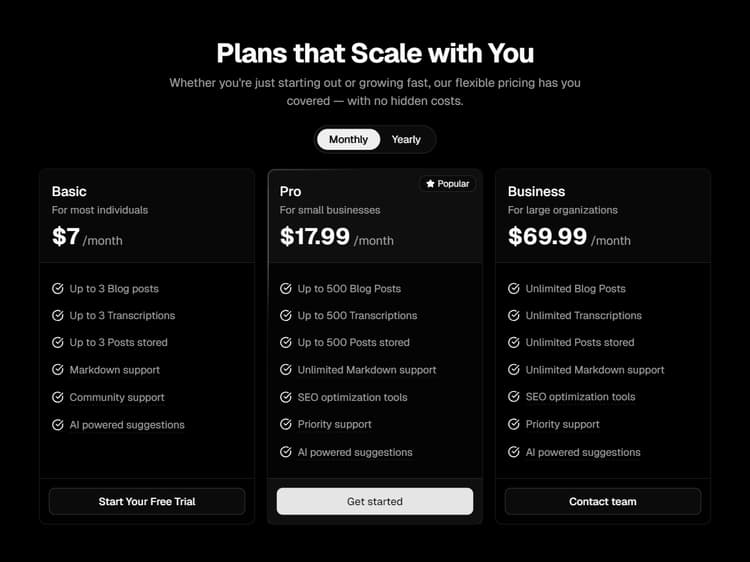
> add a pricing table with a monthly/yearly toggle from 21st
21st · search "pricing table monthly yearly"
→Pricing · Shaban618 saves
Dark Gradient Pricing · Vaibhav Kumar Singh733 saves
Modal Pricing · Kokonut UI877 saves
21st · get_component shaban/pricing
· Writing components/ui/pricing.tsx
· Installing the dependencies it lists
· Swapping hardcoded colours for your tokens
✓ Typecheck and build pass. It is on /pricing
- Search from your agent, free on every plan
- Free accounts install 2 a day across web, MCP and CLI
- Unlimited installs via MCP and CLI on any paid plan
- 21st AI from your agent with Builder + AI credits
Questions about the setup
https://21st.dev/api/mcp with the same keyx-api-key header (Authorization: Bearer works too). Claude Desktop and Lovable sign in with OAuth, no key. The CLI saves a token when you run 21st login. Sign in and this page puts your key in every command21st generate "a pricing table" --variants 3 in the terminal. It spends AI credits from Builder + AI/plugin marketplace add 21st-dev/claude-code-plugin, then /plugin install 21st@21st. For Codex: codex plugin marketplace add 21st-dev/codex-plugin. Both bundle the server with the 21st skills@21st-dev/magic package keep working: it passes every call to the same server













Let your agent shop the library
Join for free, get your key and ask for the piece you need